Every source. One context. Every AI.

Connect knowledge once. Put it to work in chats, agents and automations. With the context you need and the control you expect.

Documents
Business data
Cloud files
CMS
Presentations
CogLake Governed context
Answers
Automations
AI agents
MCP & API
Connected sourcesPermissions + contextTrusted AI outputs

Company context for your teams’ AI tools – through API and MCP

Better knowledge. More capable AI.

Start with the Knowledgebase. Put your knowledge to work in your existing AI tools or add the integrated AI Workspace.

Knowledgebase

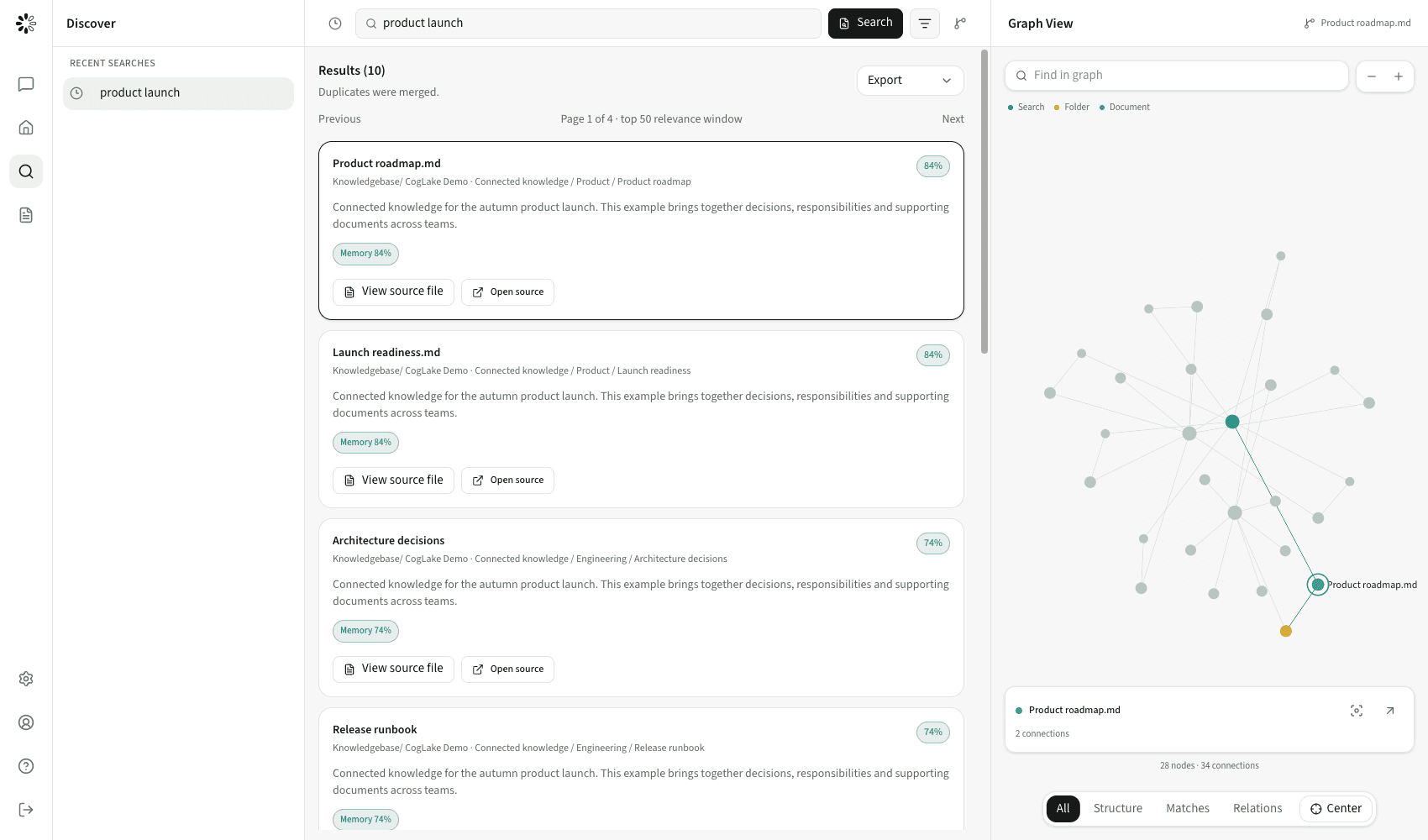
CogLake search with source evidence

Connect your sources. Keep knowledge current. Find reliable context, with an integrated wiki and the right access controls.

  • Enterprise search with source evidence
  • Connected sources and an internal wiki
  • For people, APIs and MCP
Explore Knowledgebase

AI Workspace

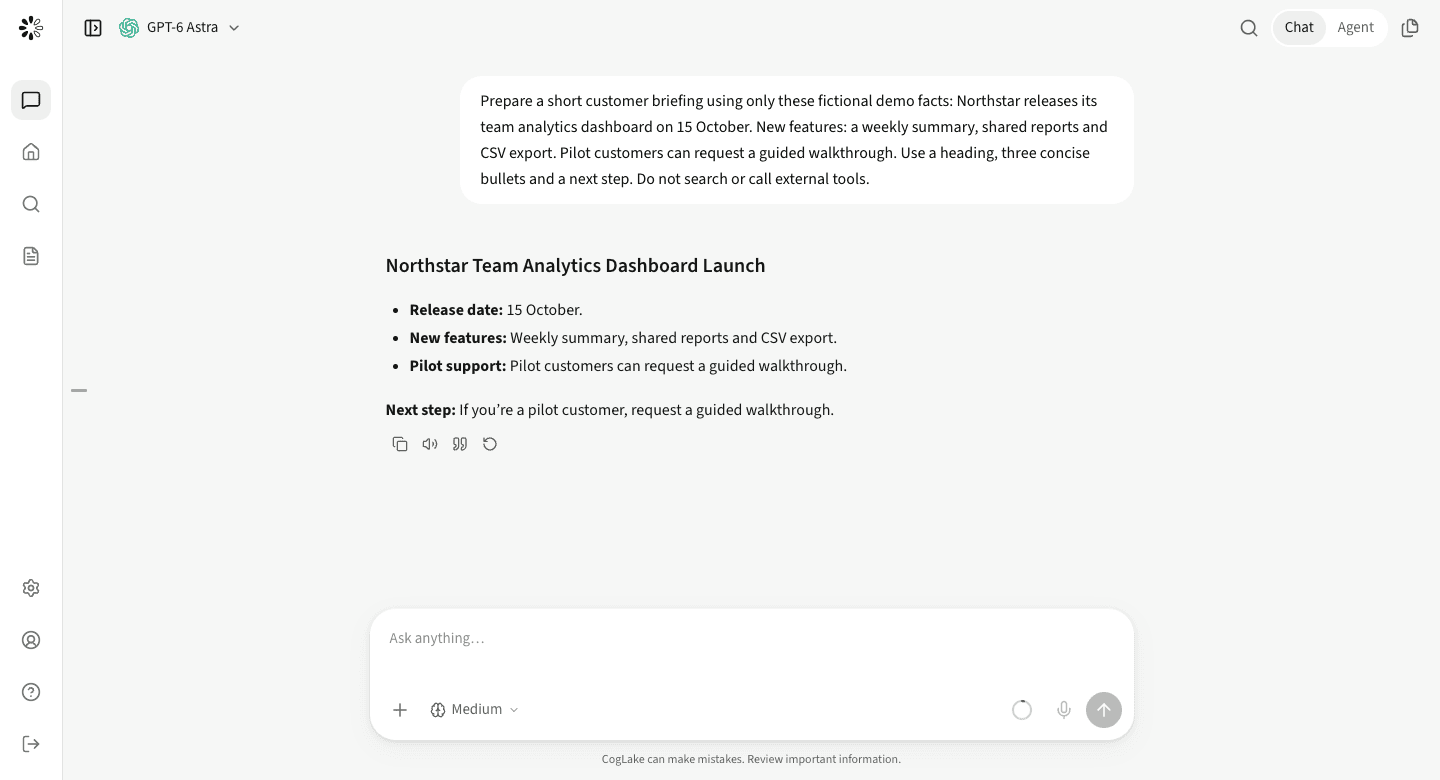
CogLake chat with a synthetic customer briefing

Turn context into results with model choice, agents and automations in one centrally managed workspace.

  • Chats and agents with company context
  • MCPs, skills and recurring tasks
  • Central model and action policies
Explore AI Workspace

Connect once. Put context to work.

Your sources stay connected. Your knowledge becomes usable. People and agents work from the same foundation.

02AI WorkspaceOptional extension
Chat
Agents
Automations
Permission-aware context
01KnowledgebaseWorks independently
Search & graphIntegrated wiki
Continuous sync
Google DriveSharePointExchangeNextcloudMore sources
One layer of roles, permissions and central administration across both products.
Your AI should not start from scratch. Your company does not.

Current documents, established decisions and internal expertise give AI work its foundation. CogLake makes that knowledge accessible, discoverable and useful to the right people and agents.

Explore the shared foundation

Beyond answers. Into action.

From the first conversation to a recurring task: shared context, clear permissions and results you can inspect.

Research you can work with.

An agent researches, checks sources and prepares a grounded draft. You decide what happens next.

A briefing before the day begins.

A personal agent works with its workspace and prepares recurring updates on the topics that matter to you.

Routine, with the right checkpoint.

A trigger starts the task. Tools carry out permitted steps. Approvals keep you involved in consequential actions.

From knowledge to workExample workflow
  1. Brief

    Summarize the changes to our product offering and prepare a customer briefing.

  2. Context

    Read authorized product documents and current notes from the wiki.

  3. Result

    Create a sourced briefing and make it available for review.

Source permissions · Tool policies · Approvals

More capability. Clear boundaries.

A consistent governance model for your knowledge and AI work, from the first lookup to the action that follows.

Knowledge with access controls

Source and workspace permissions determine which information an employee or agent may retrieve.

Central model and tool policies

Approve providers, MCPs and skills. Decide which personal extensions are allowed.

Deliberate action approvals

Approval modes, allow/deny rules and audit make agent work inspectable.

Security and governance

Change the model. Keep the knowledge.

Centrally provided models, your own API keys or your own inference: choose how your organization works with AI. Keep the shared knowledge foundation.

Models and providers
Model providers
ChatGPT
Claude
Gemini
Mistral AI
Governed contextOne policy boundary
Interfaces
Search
AI agents
MCP & API
Local models

Find the knowledge. Measure the quality.

Public datasets and recorded tests make retrieval quality, source permissions and index consistency inspectable.

5,183SciFact documents300 queries
0.536nDCG@10SciFact · hybrid + rerank
25/25Retrieval test casesMultimodal test suite
0ACL leaksIn the recorded evaluation runs
Explore results and methodology

The questions to ask before you start.

Do I need the AI Workspace?

No. The Knowledgebase can be purchased and used independently, including its search, wiki and authorized API/MCP access. AI Workspace is an optional integrated extension.

How do chat, agents and automations differ?

Chat is for direct conversations. Agent Mode handles multi-step tasks. A personal agent retains its workspace and memory for ongoing work. Automations start defined tasks on a schedule or event.

Can employees use their own providers?

If company policy allows it, employees can add personal API keys and resources. Administrators can restrict provider access and offer centrally managed connections instead.

Does an agent act without asking?

That depends on the selected approval mode, allowed and denied actions, and organization policies. Required approvals appear in the conversation; central restrictions cannot be bypassed by the user mode.

Is model usage included in Knowledgebase pricing?

The AI Workspace is an additional product. Its commercial scope and model usage are agreed separately. BYOK usage is billed by the connected provider under your own agreement.

Start with knowledge. Go further with AI.

Knowledgebase on its own or with AI Workspace: find the right starting point for your organization.

Book a walkthrough